🛒
Record phone purchases
Add the phone details, seller information, purchase price and payment details.
Keep purchases, sales, phone details, payments and customer balances in one place. Selfon helps you manage your shop without depending on a paper notebook.
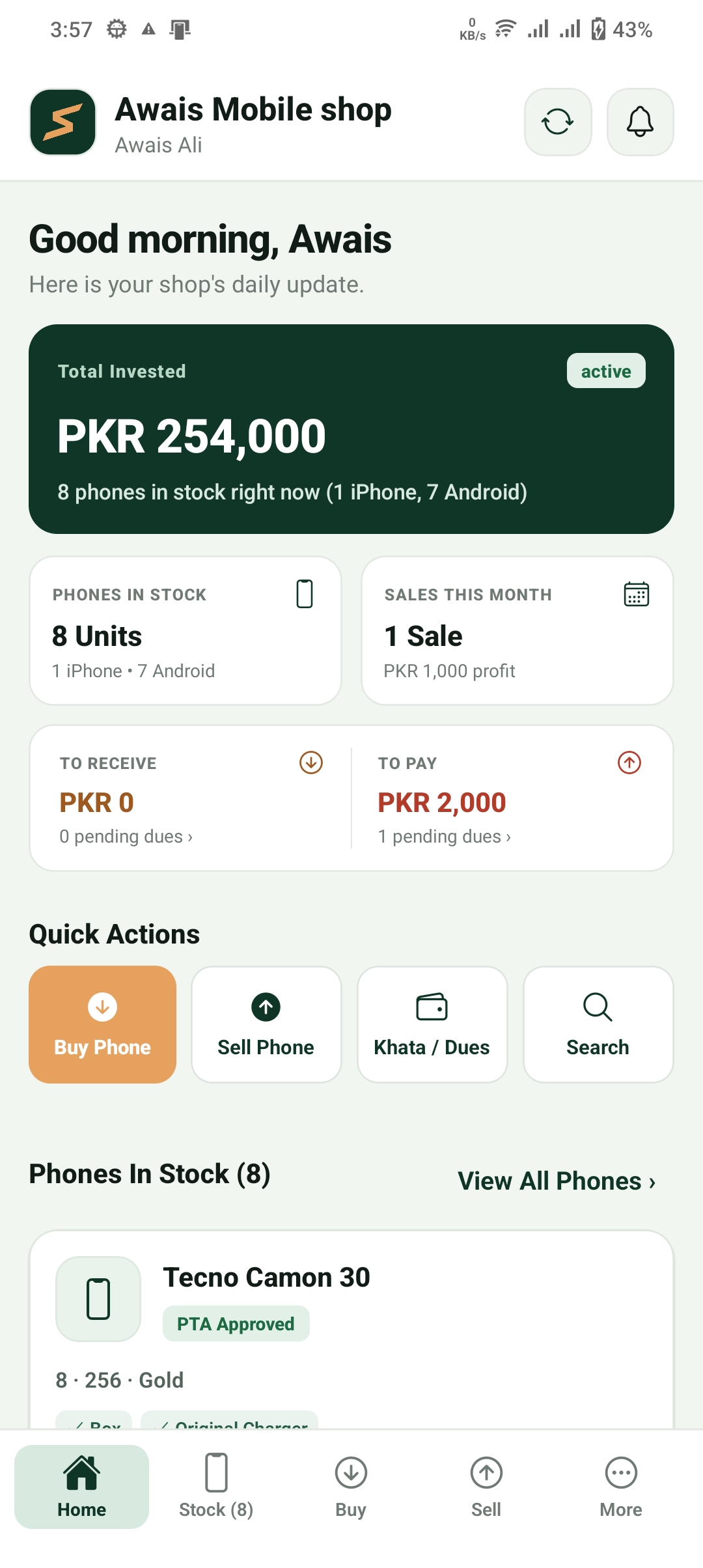
Keep your daily shop records organised, so you can check important details when you need them.
Keep phone details and IMEI numbers organised.
Record purchases, sales and payments.
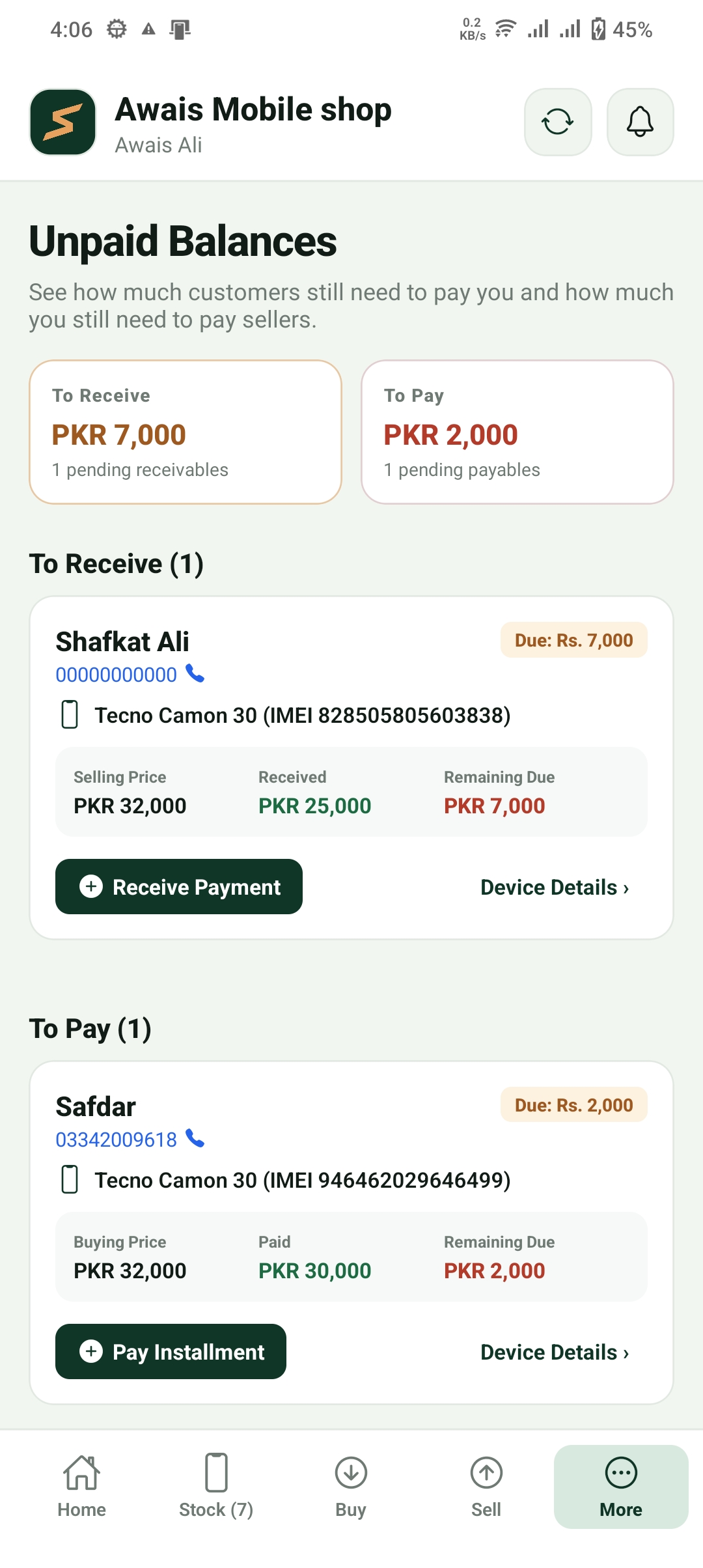
See how much customers owe and what you owe sellers.
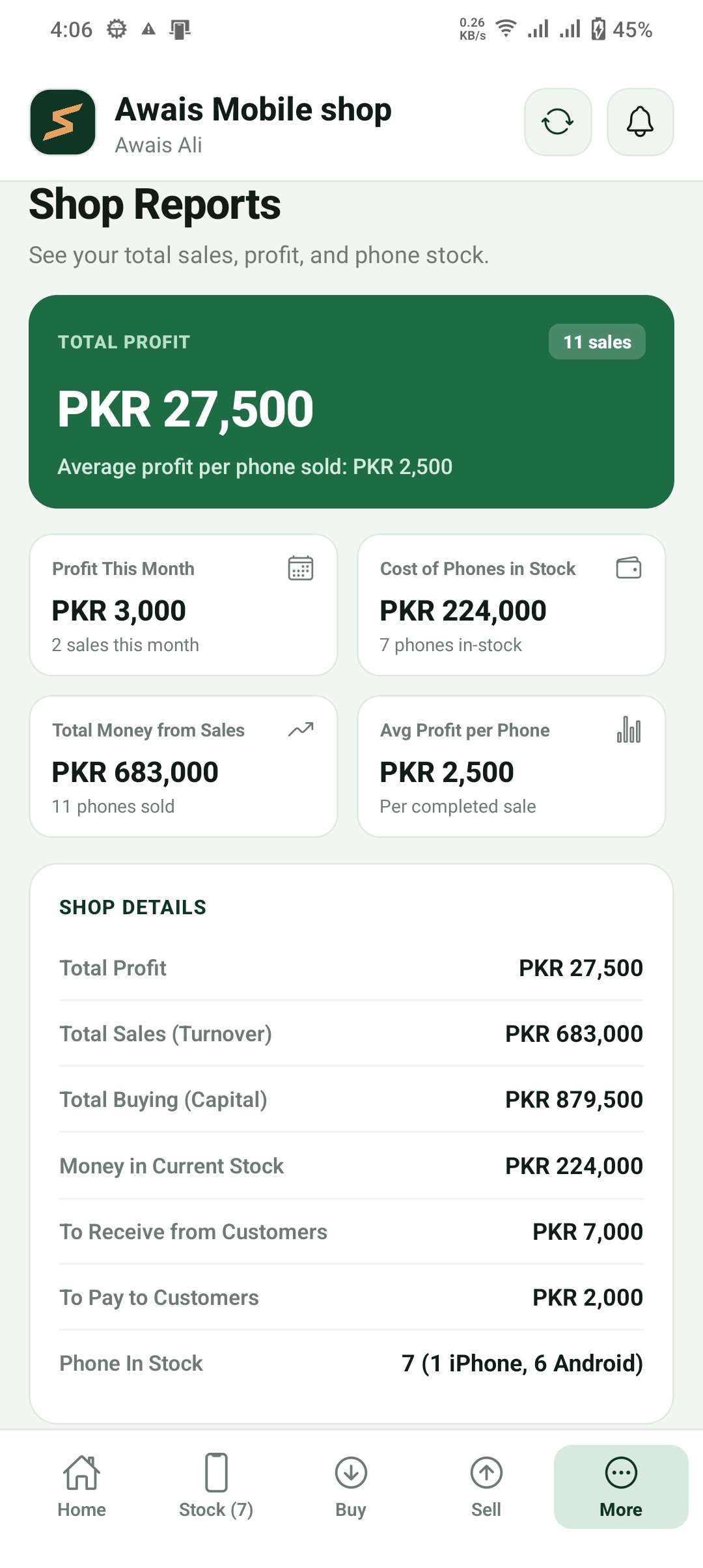
Review sales, purchases and profit records.
From buying a phone to selling it and collecting the remaining payment, keep the important details together.
Add the phone details, seller information, purchase price and payment details.
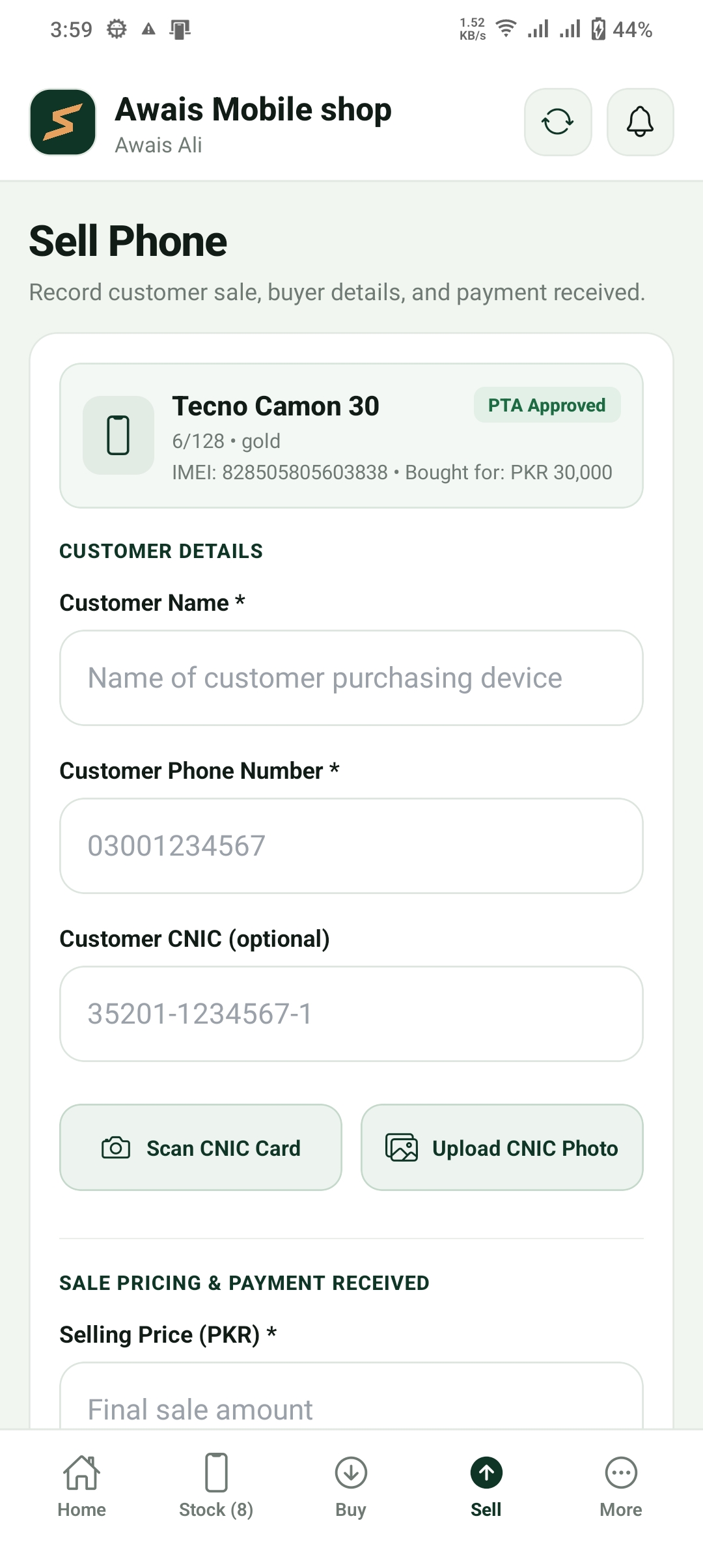
Record the buyer, selling price, payment received and any remaining balance.
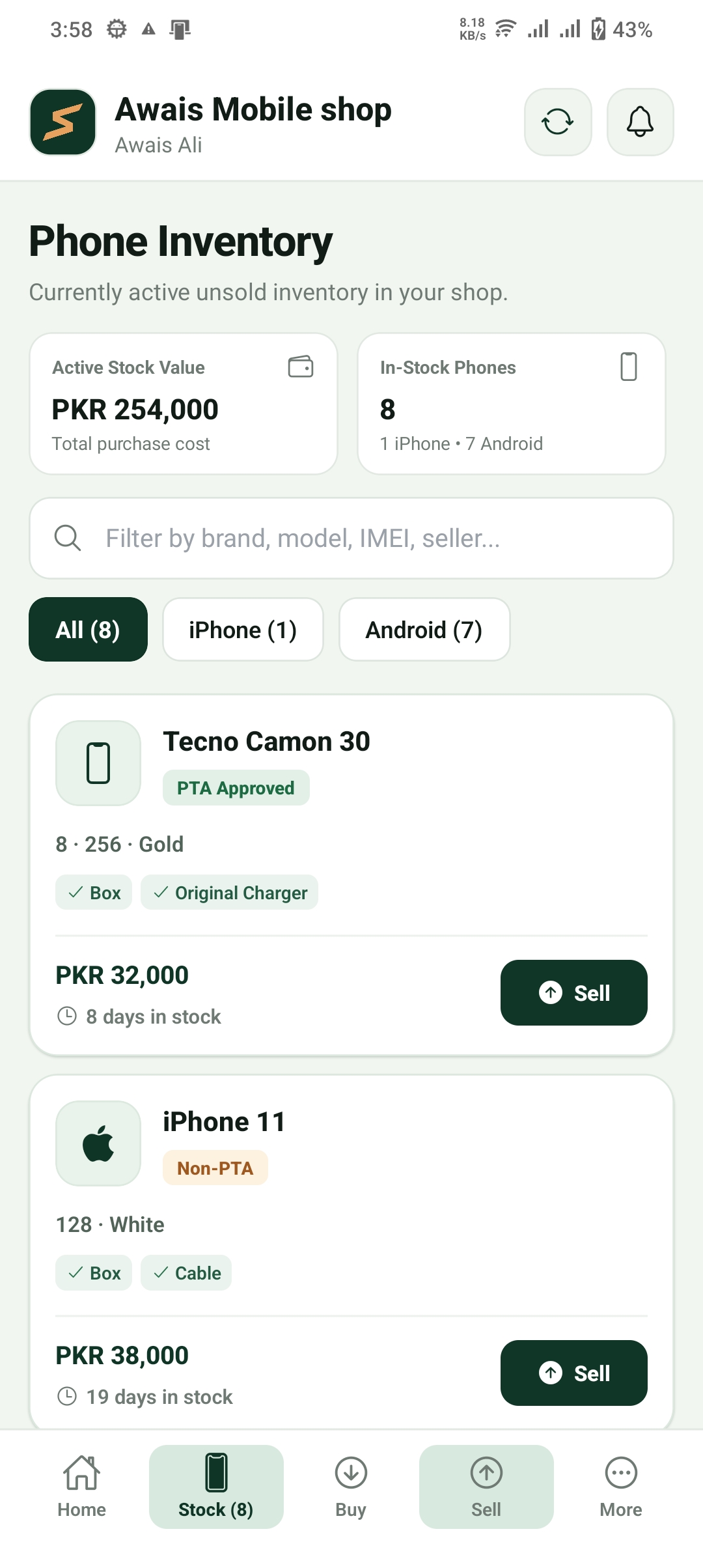
Check which phones are in stock and view their saved details, including IMEI numbers.
Keep track of customer payments and money still owed to sellers.
Review your recorded purchases, sales, profit and shop activity.
Save relevant customer and seller details with supported transaction records.
An internet connection is not always available. Selfon supports selected purchase, sale and payment records offline. Those pending records can sync when your internet connection returns.
Continue with supported shop activities when your connection is unavailable.
Offline data is encrypted and kept locally until it can be synced.
Pending supported records are sent to your account when internet access returns.
Some features require an internet connection. Keep your app connected and allow pending records to sync. Unsynced records may be lost if app data or its encryption key is removed before syncing.
Security built into offline storage
Offline storage encryption
XChaCha20-Poly1305
Selfon's local offline data is encrypted, with its encryption key stored using the device's secure storage.
Shop records are separated by shop account. No security system can guarantee that data will never be lost or accessed.
A simple way to move your daily records into one app.
Set up your account and add your shop details.
Add purchases, sales, phone details and payments as you work.
View stock, unpaid balances and shop reports when you need them.
Real app screens. See how you can manage your daily shop records.
A summary of your shop activity.
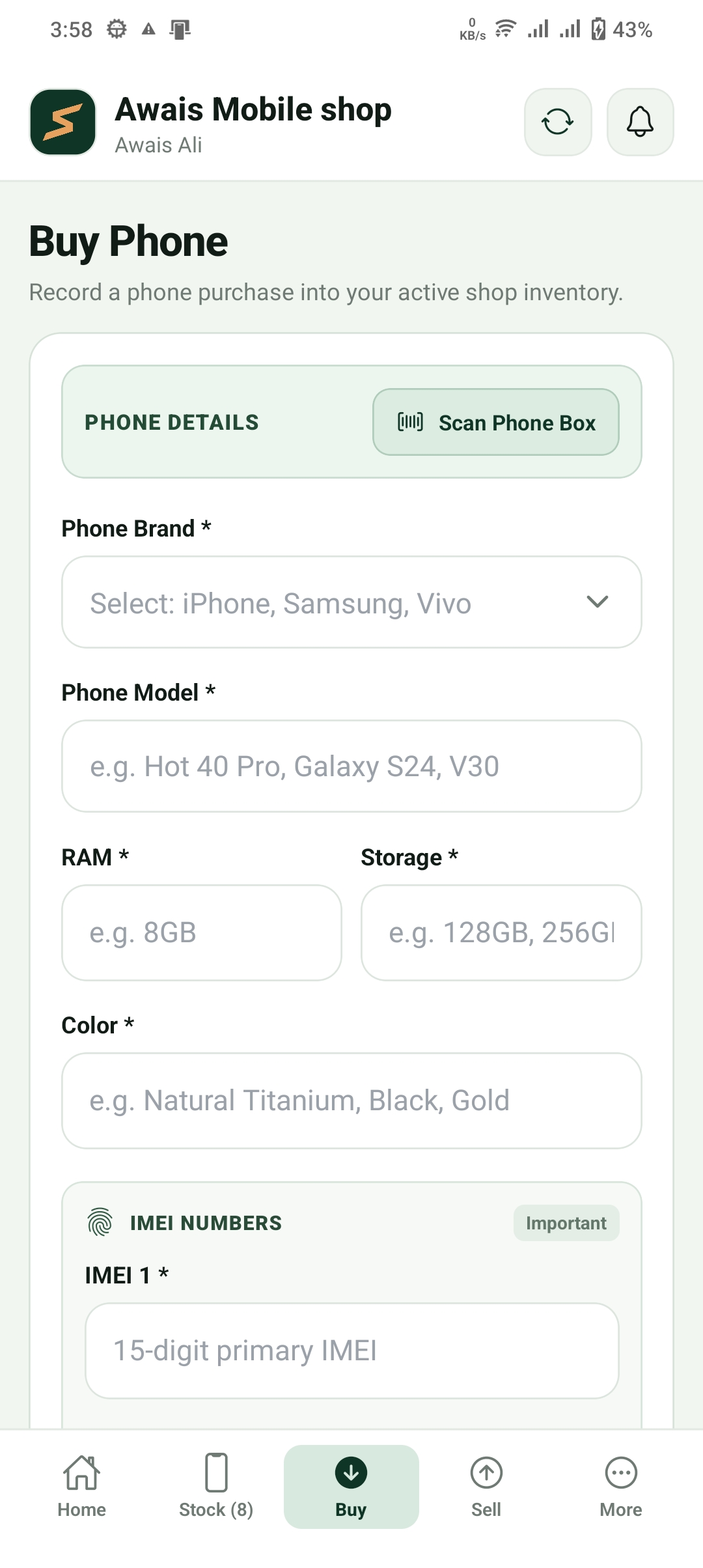
Record a purchase and seller details.
Record a sale and buyer payment.
View phones currently in your stock.
Check payments still due.
Review your shop's recorded activity.
Get the tools to manage your mobile shop without complicated pricing plans.
Selfon subscription
A monthly subscription for managing your mobile shop with Selfon.
Subscription terms apply. See our Terms of Service.

Keep your purchases, sales, phone stock and balances organised with Selfon.
Questions? Email selfon.app@gmail.com